

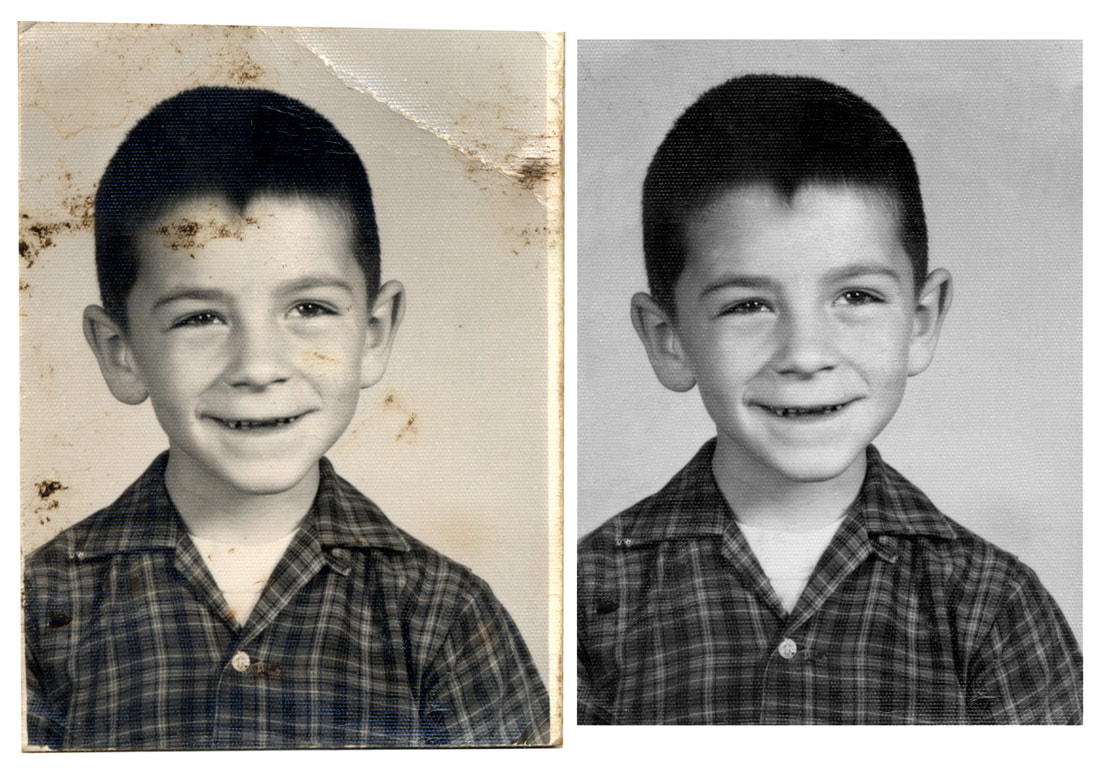
Photographs hold the canvas of our past, framing moments that tell stories of yesteryear. Unfortunately, as time passes, these treasured images can fade, tear, or suffer damage, obscuring the precious memories they hold. The good news? Advances in technology have brought forward a remarkable solution: AI old photo restoration. This revolutionary tool breathes new life into faded memories seamlessly, preserving your historical treasures for generations to come.
The Magic of Old Photo Restoration AI
Old photo restoration has transformed with the advent of artificial intelligence. What was once a painstaking process involving hours of manual labor by skilled professionals can now be accomplished in mere seconds. AI-driven algorithms have the capability to analyze, repair, and rejuvenate aged photographs by understanding the degradation patterns and automatically applying the necessary fixes.
How Does Old Photo Restoration AI Work?
The process starts when a digital version of the old photograph is uploaded into an AI-powered tool. The AI then scans the image for common issues such as scratches, tears, water damage, fading, and more. By leveraging millions of data points from other restored images, the AI can effectively map out a restoration strategy tailored to each specific image.
Step-by-Step Guide to Using AI for Photo Restoration
Step 1: Select Your Photo
Choose a photograph that holds sentimental value or historical significance. For optimal results, ensure the image scanned into the computer is as clear as possible.
Step 2: Upload Your Image
Using an AI old photo restoration service, upload your scanned image. These services are incredibly user-friendly, guiding you through the upload process.
Step 3: Let AI Do Its Magic
Once the image is uploaded, the AI begins its analysis. This involves detecting the flaws and figuring out the best approach to mend them without compromising the photo’s authenticity.
Step 4: Review and Adjust
After the AI completes the initial restoration, review the image. Some tools offer customization options where you can tweak the brightness, contrast, or further refine the details.
Step 5: Save and Share
If you’re satisfied with the restored image, save it and perhaps make a few copies. Now, you can relive and share these rejuvenated memories with family and friends or preserve them as part of your family’s digital archive.
Benefits of Using AI for Restoring Old Photos
The primary advantage of using old photo restoration AI is its efficiency. Restoring images manually not only requires specialized skills but also a lot of time. AI simplifies this process, making it accessible to anyone with a computer and an internet connection.
Moreover, AI is continuously learning. Each photo fed into the system helps the AI learn about new damage patterns and restoration techniques, improving its accuracy and efficiency over time.
Educate Yourself Further
For those intrigued by the potential of AI in image restoration and eager to learn more about how this technology is continuously evolving, resources such as https://en.wikipedia.org/wiki/Image_restoration_by_artificial_intelligence provide extensive information and insights.
The Joy of Rediscovered Memories
Embracing AI for restoring old photographs not only preserves visual history but also rekindles personal connections to our past. With AI technology, every crease smoothed and every color revived adds depth to personal stories, bridging the gap between past and present. This, in itself, is a beautiful testament to how technology can serve humanity, making the echoes of our past vivid once more. Through the lens of restored photos, we not only glimpse history—we feel it.


